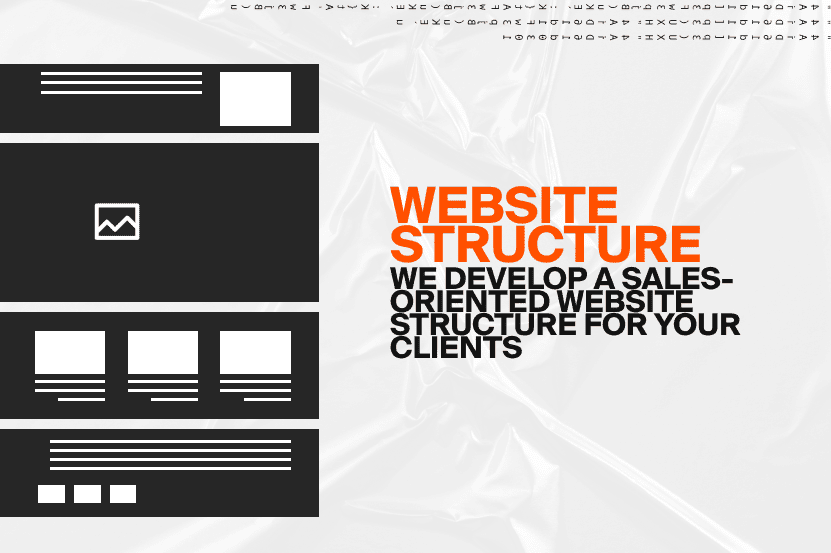
A website structure is like a blueprint of your home. It defines what rooms exist, how they connect, and how visitors move through them.
The main entrance is your homepage. From there, visitors follow “hallways” — your main sections and categories — and inside they find individual “rooms” with specific content.
If these hallways are confusing and the rooms are scattered randomly, visitors will get lost, and search engines won’t understand how your website is organized.
A well-planned website structure helps both users and Google: visitors can quickly find the information they need, while search engines can properly crawl, understand, and index your pages.
Why Website Structure Matters
Simply put, website structure is the foundation of your website. Without it, even great content becomes a disorganized collection of pages. With a clear structure, your website works toward your business goals: generating leads, increasing sales, and building customer trust.
Think of your website like a city.
The homepage is the downtown area, major sections are the main streets, and individual pages with specific information are neighborhoods and buildings. If the streets are chaotic and the roads lead nowhere, visitors will get frustrated and leave — and Google won’t understand how your content is connected.
A strong website structure makes your site:
Simple and logical: users should immediately understand where to click to achieve their goal.
Easy to navigate: visitors stay longer, explore more pages, return to your website, and interact with your content — all of which can positively influence user engagement signals.
Effective for SEO: internal linking helps distribute page authority and allows search engines to understand which pages are most important.
Flexible for future growth: when your business expands and you need to add new services, products, or content, a well-planned structure allows you to scale without creating chaos.
Internal linking is especially important. It helps Google understand the relationship between pages, distributes authority throughout your website, and can contribute to enhanced search results such as FAQ snippets, ratings, and breadcrumb navigation.
How to Create a Website Structure: Step-by-Step Guide
Creating a website structure is the foundation of a convenient user experience and effective business growth. Let’s go through the main steps.
Step 1. Define Your Website Goals
Before building a website, it’s important to understand why it exists and what results it should deliver.
If your goal is to sell products, the structure should be built around categories, filters, product pages with images, descriptions, pricing, and clear calls-to-action such as “Buy Now” or “Add to Cart.”
All of these elements help users quickly find what they need and complete a purchase without unnecessary steps.
If you run a B2B company or provide professional services, the main goal of your website is usually to demonstrate expertise and build trust.
In this case, important sections may include:
• Case studies
• Customer testimonials
• Certifications and licenses
• Industry expertise pages
• Service pages explaining your solutions
These elements help potential customers understand your experience and feel confident choosing your company.
If personal expertise plays an important role in the buying decision — for example, in healthcare, legal services, consulting, or coaching — it can be useful to create dedicated pages for specific professionals.
A potential client should immediately understand who they will work with and why they can trust that person.
The key thing to remember: your website structure should always support your business goals.
A good structure helps users quickly find solutions to their problems while addressing the needs of your business — turning your website into a powerful customer acquisition tool.
Step 2. Analyze Your Target Audience
It’s impossible to create an effective website structure without understanding your customers.
You need to understand how your audience thinks and what influences their decisions.
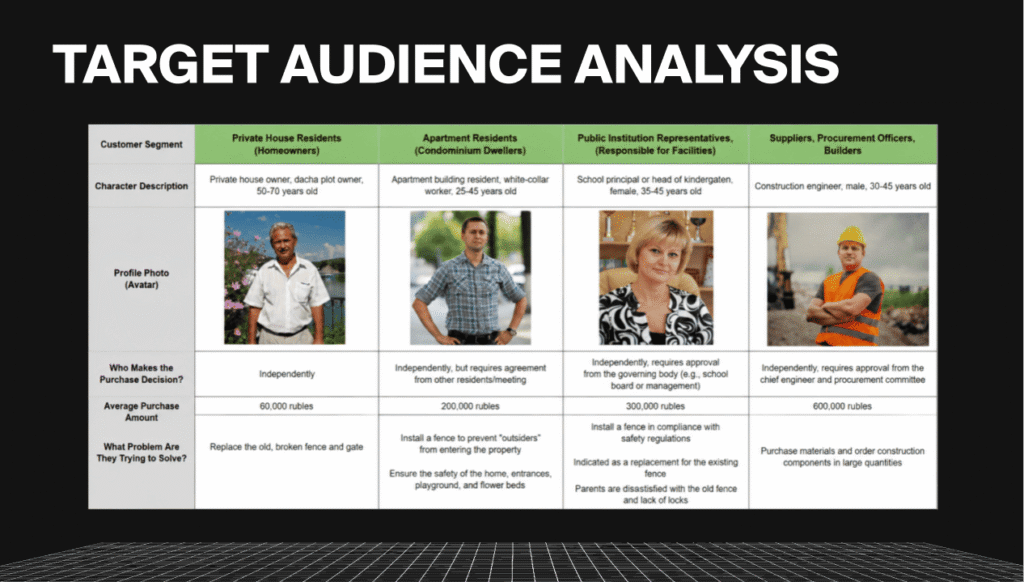
Who makes the purchasing decision?
For B2B companies selling industrial equipment, the decision may involve several people: a procurement manager, a technical specialist, and finally an executive who approves the purchase.
For services like healthcare, therapy, or consulting, the decision is usually made directly by the customer.
Average purchase value and service importance
This helps determine what pages are needed to encourage users to take action.
For example, for a legal consultation service, the website should explain why the price reflects the expertise, experience, and value the client receives.
Customer problems and pain points
A construction company’s customers may be looking for reliable contractors who can complete projects on time and avoid unexpected costs.
A tutoring company’s customers want their children to successfully prepare for exams.
Website pages should demonstrate that you understand these challenges and have the expertise to solve them.
Customer goals and motivations
It’s important to understand not only what customers need but also what they want to achieve emotionally.
For example:
• A car repair customer wants a fast solution without stress.
• An online course student wants confidence in learning a new skill.
• A business owner wants predictable growth and fewer operational problems.
When does the need appear?
Understanding when customers start searching helps create better content.
For example:
A patient may search for medical services after experiencing pain or discomfort.
A business owner may start looking for software solutions after losing customers because of inefficient processes.
What happens if the customer doesn’t find your website?
They may waste time, choose a less qualified competitor, or leave their problem unresolved.
For an e-commerce business, this can mean losing a sale to another company.
Why do customers avoid submitting a request?
Most often, the reasons are:
• Lack of trust
• Unclear pricing
• Missing information
• Fear of making the wrong decision
What factors influence their choice?
Customers usually consider:
• Price
• Quality
• Reputation
• Experience
• Guarantees
• Response time
• Ability to communicate directly
When you carefully define your audience profile, your website structure becomes more than just a collection of pages.
It becomes a system that guides visitors toward the right action, answers their questions, removes doubts, and supports your business objectives.
Step 3. Analyze Your Competitors
The next stage is researching your market and competitors.
You need to understand what solutions are already working, why they work, and how you can create something better.
During competitor analysis, pay attention to:
Unique Selling Propositions (USPs) and Offers
Analyze what advantages competitors highlight and how they build trust with potential customers.
Look at:
• Their main offers
• Value propositions
• Guarantees
• Special features
• Reasons customers should choose them
Understanding competitor messaging helps identify opportunities to differentiate your own business.
Website Structure
Analyze how competitor websites are organized:
• What main sections do they have?
• How are their services or products categorized?
• How do they guide users from the homepage to conversion points?
• Which pages receive the most attention?
This helps identify common patterns in your industry and understand what users expect to see.
How They Address Customer Objections
Strong websites don’t just present products or services — they remove doubts.
Analyze how competitors build confidence through:
• Case studies
• Reviews and testimonials
• Certifications
• Guarantees
• Product demonstrations
• Before-and-after examples
Marketing Techniques
Pay attention to:
• Conversion triggers
• Visual elements
• Call-to-action buttons
• Interactive features
• Special offers
• Trust signals
The goal of competitor analysis is to understand what encourages users to submit a request, purchase a product, or continue exploring a website — and what causes them to leave.
This information allows you to create a website structure that performs better than competitors and addresses your audience’s needs more effectively.
Step 4. Build a Keyword Strategy and Create Content Clusters
Don’t let the terminology scare you — the concept is much simpler than it sounds.
A keyword strategy is a complete list of search queries people use when looking for your products, services, or solutions.
These are not just “keywords.” They represent a map of how your customers describe their needs and what problems they are trying to solve.
For example, for a digital marketing agency, potential search queries may include:
• “website development services”
• “custom website design company”
• “Google Ads management services”
• “PPC campaign audit”
Analyzing search terms helps you understand:
• What your audience is looking for
• How customers describe their needs
• Which terms they use
• What problems they want to solve
Without this research, you are essentially building a website based on assumptions rather than real customer behavior.
After collecting keywords, the next step is grouping them by search intent and topic. This process is called keyword clustering.
The goal is to determine:
• Which topics should have separate pages
• Which services should be grouped together
• How website sections should be organized
For example, on a website development agency website, the main service page may be:
Website Development
With supporting pages such as:
• Custom Business Websites
• E-commerce Website Development
• Landing Page Design
• Website Maintenance
• Website Integrations
• Technical Requirements Development
• Marketing Research
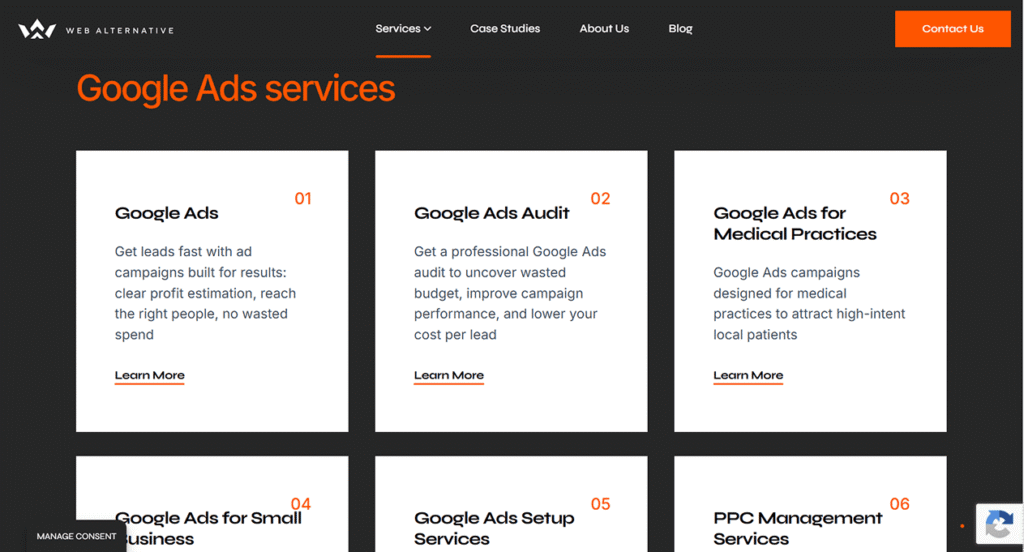
This creates a logical hierarchy:
• Main pages target broader, high-volume topics.
• Supporting pages focus on specific services, questions, and user needs.
A clear content structure improves both user experience and SEO performance because each page has a specific purpose and target audience.
Step 5. Implementation
Once you have analyzed your audience, researched competitors, created your keyword strategy, and planned the customer journey, it’s time to bring the structure to life.
This is the connection between strategy and the final website.
Creating the Prototype
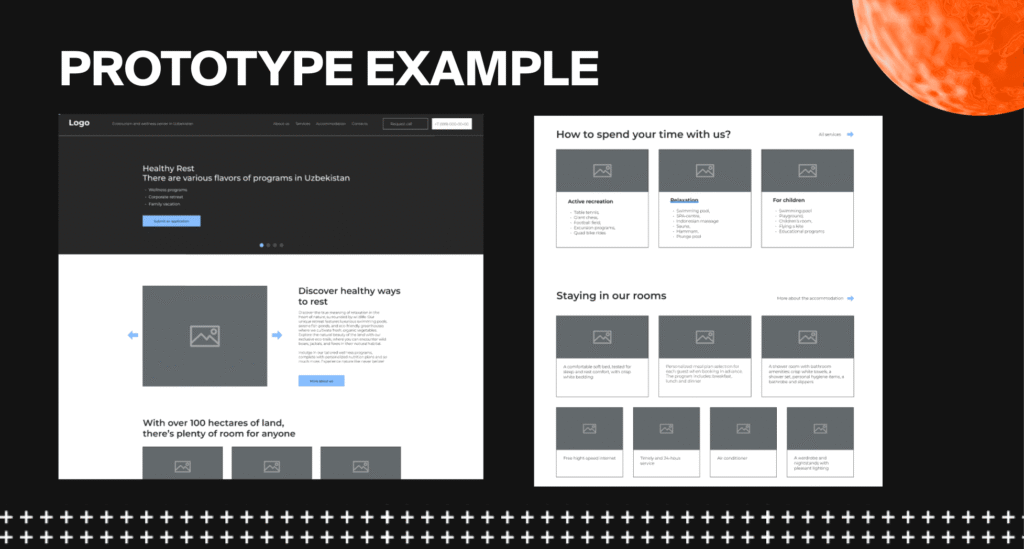
The first step is creating a website prototype.
A prototype is a visual framework of the pages that shows:
• Page sections
• Headlines
• Text blocks
• Images
• Calls-to-action
• Contact forms
• Navigation elements
A prototype helps determine how users will move through the website, where important information should be placed, and how content should be organized for maximum clarity.
The goal is to make sure users understand the website structure from the first interaction.
Website Design
The next stage is transforming the prototype into a complete visual experience.
This is where the website receives:
• Colors
• Typography
• Brand elements
• Images
• Visual hierarchy
• Interactive elements
Design should support the website structure, make navigation intuitive, and strengthen the impression of your company as professional and trustworthy.
A beautiful website is not enough — it must also be easy to understand and use.
Content Creation
Content is another critical part of website structure.
Website copy should be created based on:
• Keyword research
• Customer journey
• Audience pain points
• Business goals
Effective content should:
• Answer customer questions
• Address concerns
• Explain benefits
• Demonstrate expertise
• Encourage users to take action
Every section should be created with both SEO and user experience in mind.
Conclusion
To create a website structure that truly works, keep several principles in mind:
Hierarchy
The more important a page is, the closer it should be to the homepage.
A typical structure looks like:
Homepage → Main Section → Service/Product Page
This helps both users and search engines understand the importance of different pages.
Logic for Users and Search Engines
Visitors should immediately understand where to click and how to find the information they need.
At the same time, search engines should clearly understand how your content is organized.
Internal Linking
Internal links work like pathways between different areas of your website.
They help users discover related information and help Google understand page relationships and distribute authority across your website.
Simplicity and Usability
Even the best content will not perform well if users cannot navigate your website easily.
A confusing structure increases frustration and causes visitors to leave.
A well-designed website structure improves usability, increases time spent on the website, encourages users to explore more pages, and supports stronger SEO performance.
Internal linking helps Google identify important pages, understand content relationships, and potentially generate enhanced search results such as FAQ snippets, ratings, and breadcrumb navigation.
Additionally, a logical structure makes your website easier to scale.
New pages, services, and sections can be added without creating confusion or breaking the existing organization.
This saves your team time, improves efficiency, and creates a website that is ready to support long-term business growth.
Schedule free marketing consultation
Learn how to stop wasting ad spend and turn marketing into real profit