Google Ads can report conversions when your team cannot find the same number of inquiries. The report may count a phone-button click rather than a completed call, a form attempt rather than a delivered message, or several actions from the same person. Differences in dates and attribution can also make valid numbers look inconsistent.
Before changing the campaign or increasing the budget, identify what each conversion measures and compare it with your actual calls and messages. That distinction tells you whether to investigate tracking, lead delivery, lead quality, or more than one of them.
Start with one question: what did Google Ads count?
A conversion is an action the account has been configured to measure. Depending on the setup, it might be a submitted form, a phone call, a click on a phone number, or another action. These actions are useful for different reasons, but they do not all mean that your team received a qualified inquiry.
Ask your agency or account manager for a breakdown of conversions by action for the same campaign and period as the report. For each action, ask: what exactly triggers it, where does it happen, and what should your team receive when it happens? Also ask which actions are included in the main Conversions column and used for bidding. Compare that with All conversions, which can include additional actions.
Separate a click from an actual conversation
A tap on a phone number shows intent to call, but it does not prove a call connected or that your staff spoke with a prospect. A tracked call can also be a wrong number, an existing customer, or someone outside your service area. Call duration can help filter reporting, but it is not proof that a call was qualified.
Compare the relevant call records with the call actions in Google Ads. If you have several numbers, a call answering service, or a call-tracking provider, include each destination in the review. Protect customer information and use only records your team is authorized to access.
Check whether form messages actually arrive
A visitor clicking Submit is not always the same as your business receiving a complete message. A form can fail validation, a tracking event can fire before a successful submission, or the message can be sent but diverted to spam or the wrong inbox.
Ask a team member to submit a clearly labeled test from a phone and a desktop, with permission from the person responsible for the site. Confirm the success message, delivery to the right inbox or lead system, and the recorded event. Coordinate the test so staff can identify and remove test entries from their operational records. A test may not reproduce every issue, so investigate actual records too.
Look for repeated or overlapping actions
One person may click a call button, then submit a form, or submit the same form more than once. A website action and an imported analytics action can also represent the same event. The result may be several reported actions for one potential customer.
Ask whether the same interaction is tracked through more than one source, and whether each lead action is set to count one or every conversion. Google explains the counting options: choosing “one” limits repeated counts per interaction for a particular action, but it does not automatically deduplicate separate conversion actions or identify unique people. The right setting depends on the business and the action.
Make the comparison fair
Reports can differ even when tracking works. First align the date range, time zone where relevant, campaign scope, and definition of a lead. Ask whether the report uses the date of the ad interaction or the date the conversion occurred. Allow for reporting delays and check whether the business record covers all sources while the Ads report uses attribution rules.
Google’s guide to reporting discrepancies describes conversion timing, attribution and counting settings as possible causes. Do not expect a perfect one-to-one match: privacy restrictions, missed records, attribution and processing differences can all limit reconciliation.
A practical way to investigate the gap
Imagine a monthly report shows 30 conversions, while a business finds 10 inquiries in its inbox and call log. These are illustrative numbers, not a client result. The first step is to request the breakdown: perhaps some actions are phone taps, some are form events, and some relate to another reporting period. Those possibilities need testing; the difference alone cannot tell you which cause is responsible.
Review a small sample with the people who handle calls, forms and advertising. Record the action reported, the expected destination, whether an inquiry can be found, whether it was relevant, and the next investigation step. Avoid copying unnecessary personal or medical information into a shared spreadsheet.
If real inquiries arrived but were unsuitable, the next question is audience and search relevance. If the event fired but no message arrived, investigate the form and delivery path. If the report combines repeat actions, review the measurement setup. The fixes are different, so avoid treating every mismatch as an advertising failure.
What to ask your agency
Request a written explanation of the actions included in the report, how each action is recorded, and which actions guide bidding. Ask for the evidence behind any proposed tracking changes, how they will be tested, and how future reports will distinguish inquiries from qualified leads and customers.
Do not remove or change conversion actions solely because a total looks high: changes can affect bidding and comparisons over time. Agree on the business outcome first, document the existing setup, and have the person responsible for the account assess the impact. Our agency reporting checklist covers the questions a business owner can use in that conversation.
When an independent review can help
If no one can explain what is being counted or why inquiries are missing, an independent review can assess the measurement setup alongside campaign performance. WEB ALTERNATIVE offers a Google Ads audit; the appropriate scope depends on the account and the problem. For calls that do arrive but are irrelevant, see our guide to wrong calls from Google Ads.
Frequently asked questions
Why does Google Ads show conversions when I received no forms?
The account may be recording a button click, a form event that fires too early, or another conversion action. A form or notification may also have failed. Check the action definition and run a coordinated test before deciding which explanation applies.
Is a phone-button click the same as a qualified lead?
No. A tap indicates an attempt or intention to call; it does not confirm a connected conversation, a suitable customer, or a sale. Compare call actions with available call records and your team’s qualification criteria.
Should I delete duplicate conversions immediately?
First verify that the actions measure the same event and establish which ones campaigns use for bidding. Document the current setup and ask an experienced account manager to plan and test any change; historical reporting and automated bidding may be affected.
Why do my CRM and Google Ads totals differ?
They can use different dates, attribution rules, lead definitions, time zones and coverage. Missing delivery, duplicated events and reporting delays are other possibilities. Align the comparison first, then investigate a sample.
Get a clearer view of your advertising
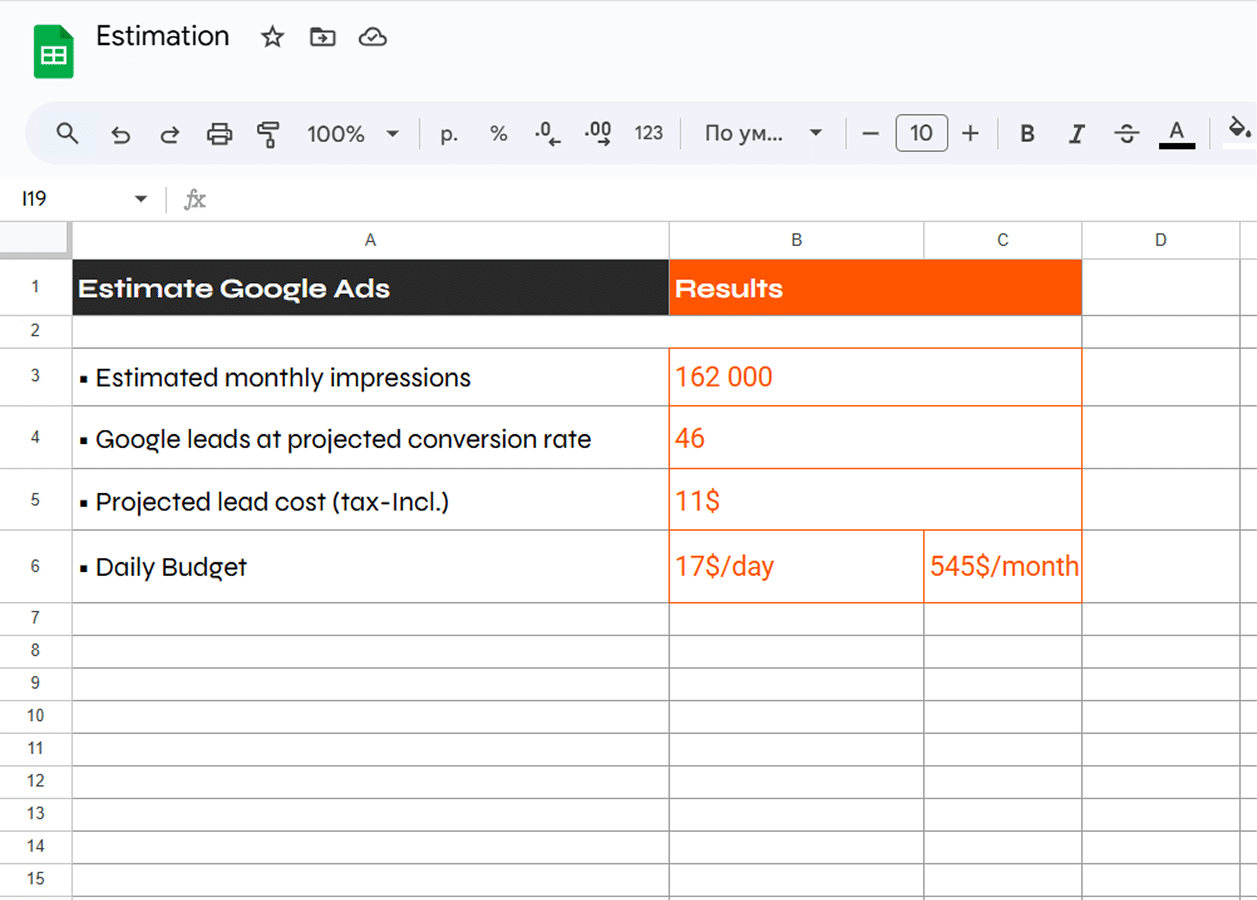
Whether you need to review an existing account or estimate a new campaign, WEB ALTERNATIVE can discuss the next step. For a new or expanded campaign, request a free Google Ads forecast based on your services, locations, and goals. Forecasts are estimates, not guarantees of leads or sales.
Talk through your account
Tell us what your report shows and what your team is seeing. We can help identify what needs a closer look.